CLOB, NCLOB and BLOB are database data types with data size up to 128 terabytes. The data size of regular VARCHAR and VARBINARY is 32 kilobytes.
CLOB stands for character large object, which is a Unicode character string. It is appropriate for storing text-orientated information.
NCLOB stands for national character large object, which is a Unicode character string. This data type like the CLOB data type, is appropriate for storing text-orientated information.
BLOB stands for binary large object, which is a binary string. This data type is appropriate for storing images, sound, and videos.
Following is a sample code of using these data types.
import java.io.BufferedInputStream;
import java.io.BufferedReader;
import java.io.FileInputStream;
import java.io.FileReader;
import java.io.OutputStream;
import java.sql.Blob;
import java.sql.Clob;
import java.sql.Connection;
import java.sql.DriverManager;
import java.sql.NClob;
import java.sql.PreparedStatement;
public class Test {
public static void main(String[] args) {
Connection conn = null;
try {
conn = <your method of getting the database connection>;
Clob theClob = conn.createClob();
NClob theNclob = conn.createNClob();
Blob theBlob = conn.createBlob();
//Add data to the data type objects
BufferedReader charReader = new BufferedReader(
new FileReader("descritpion.txt"));
StringBuilder file = new StringBuilder();
String line = "";
while ((line = charReader.readLine()) != null){
file.append(line);
}
theClob.setString(1, file.toString());
theNclob.setString(1, file.toString());
charReader.close();
BufferedInputStream input = new BufferedInputStream(
new FileInputStream("happyBird.gif"));
OutputStream byteWriter = theBlob.setBinaryStream(1);
int theChar = -1;
while ((theChar = input.read()) != -1) {
byteWriter.write(theChar);
}
byteWriter.flush();
input.close();
byteWriter.close();
//Insert the data into database
String sql = "INSERT into picture values(?, ?, ?)";
PreparedStatement pstmt = conn.prepareStatement(sql);
pstmt.setClob(1, theClob);
pstmt.setNClob(2, theNclob);
pstmt.setBlob(3, theBlob);
pstmt.executeUpdate();
pstmt.close();
pstmt = conn.prepareStatement(sql2);
ResultSet rs = pstmt.executeQuery();
while (rs.next()) {
Clob myClob = rs.getClob(1);
String title = myClob.getSubstring(1, myClob.length());
NClob myNclob = rs.getNClob(2);
String description = myNclob.getSubstring(1, myNclob.length());
Blob myBlob = rs.getBlob(3);
byte[] imageArray = myBlob.getBytes(1, myBlob.length());
}
rs.close();
pstmt.close();
conn.close();
}catch (Exception e){
e.printStackTrace();
}
}
}
2. 26 Oracle Data Types
---------------------------------------------------------------------------------------------------------------
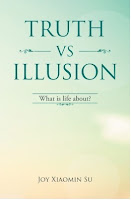
If you have ever asked yourself these questions, this is the book for you. What is the meaning of life? Why do people suffer? What is in control of my life? Why is life the way it is? How can I stop suffering and be happy? How can I have a successful life? How can I have a life I like to have? How can I be the person I like to be? How can I be wiser and smarter? How can I have good and harmonious relations with others? Why do people meditate to achieve enlightenment? What is the true meaning of spiritual practice? Why all beings are one? Read the book free here.
CLOB stands for character large object, which is a Unicode character string. It is appropriate for storing text-orientated information.
NCLOB stands for national character large object, which is a Unicode character string. This data type like the CLOB data type, is appropriate for storing text-orientated information.
BLOB stands for binary large object, which is a binary string. This data type is appropriate for storing images, sound, and videos.
Following is a sample code of using these data types.
import java.io.BufferedInputStream;
import java.io.BufferedReader;
import java.io.FileInputStream;
import java.io.FileReader;
import java.io.OutputStream;
import java.sql.Blob;
import java.sql.Clob;
import java.sql.Connection;
import java.sql.DriverManager;
import java.sql.NClob;
import java.sql.PreparedStatement;
public class Test {
public static void main(String[] args) {
Connection conn = null;
try {
conn = <your method of getting the database connection>;
//Save data to database
//Create the data type objectsClob theClob = conn.createClob();
NClob theNclob = conn.createNClob();
Blob theBlob = conn.createBlob();
//Add data to the data type objects
BufferedReader charReader = new BufferedReader(
new FileReader("descritpion.txt"));
StringBuilder file = new StringBuilder();
String line = "";
while ((line = charReader.readLine()) != null){
file.append(line);
}
theClob.setString(1, file.toString());
theNclob.setString(1, file.toString());
charReader.close();
BufferedInputStream input = new BufferedInputStream(
new FileInputStream("happyBird.gif"));
OutputStream byteWriter = theBlob.setBinaryStream(1);
int theChar = -1;
while ((theChar = input.read()) != -1) {
byteWriter.write(theChar);
}
byteWriter.flush();
input.close();
byteWriter.close();
//Insert the data into database
String sql = "INSERT into picture values(?, ?, ?)";
PreparedStatement pstmt = conn.prepareStatement(sql);
pstmt.setClob(1, theClob);
pstmt.setNClob(2, theNclob);
pstmt.setBlob(3, theBlob);
pstmt.executeUpdate();
pstmt.close();
//Retrieve data from database
String sql2 = "SELECT title, description, image from picture";pstmt = conn.prepareStatement(sql2);
ResultSet rs = pstmt.executeQuery();
while (rs.next()) {
Clob myClob = rs.getClob(1);
String title = myClob.getSubstring(1, myClob.length());
NClob myNclob = rs.getNClob(2);
String description = myNclob.getSubstring(1, myNclob.length());
Blob myBlob = rs.getBlob(3);
byte[] imageArray = myBlob.getBytes(1, myBlob.length());
}
rs.close();
pstmt.close();
conn.close();
}catch (Exception e){
e.printStackTrace();
}
}
}
References:
1.Using Large Objects2. 26 Oracle Data Types
---------------------------------------------------------------------------------------------------------------
If you have ever asked yourself these questions, this is the book for you. What is the meaning of life? Why do people suffer? What is in control of my life? Why is life the way it is? How can I stop suffering and be happy? How can I have a successful life? How can I have a life I like to have? How can I be the person I like to be? How can I be wiser and smarter? How can I have good and harmonious relations with others? Why do people meditate to achieve enlightenment? What is the true meaning of spiritual practice? Why all beings are one? Read the book free here.
