Showing posts with label MicroSoft Office. Show all posts

Wednesday, August 21, 2019

Microsoft Office Word 2016: Remove frame from a paragraph

You have a document looks like the one below, and you want to remove the frame from the paragraph,


1. Click anywhere in the frame, then click at the Design in the top menu.


2. select Page Borders from the toolbar.


3. Select the Borders tab in the popped-up Borders and Shading window. Then click on the None icon to select it and choose Paragraph in the Appy to drop-down list. finally, click the OK button.


-----------------------------------------------------------------------------------------------------------------
Watch the blessing and loving online channel: SupremeMasterTV live


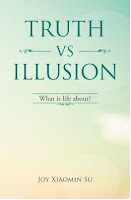
If you have ever asked yourself these questions, this is the book for you. What is the meaning of life? Why do people suffer? What is in control of my life? Why is life the way it is? How can I stop suffering and be happy? How can I have a successful life? How can I have a life I like to have? How can I be the person I like to be? How can I be wiser and smarter? How can I have good and harmonious relations with others? Why do people meditate to achieve enlightenment? What is the true meaning of spiritual practice? Why all beings are one? Read the book for free here.

Monday, April 14, 2014

Extract sound, music or audio from power point slide show (.pps file)

After you have saved the .pps file on your computer, make sure that your windows explorer displays file extensions. If you need information about how to make windows explorer to display file extensions, click here.

Make a copy of the .pps file before you continue.

You may use one of the following methods to extract audios from the power point show.

A. Convert to web page file

Right click on the .pps file and choose rename
Change the file extension to .ppt for microsoft office or .ppsx for LibreOffice and open it
Click on File in the top menu, choose Save As, and save the file as a .htm file. If you are not able to save the file as a .htm file, click on File in the top menu, choose Export, and export the file as a .htm file.
Go to the directory where you saved the file, you should also find a folder with the same name of your saved file in the directory. All the audio files associated with the power point show should be here. Or all the audio files should be in the directory where you saved the .htm file.

B. Convert to .zip file

Right click on the .pps file and choose rename
Change the file extension to .zip
Right click on the file and choose Extract All, and all the audio files should be in the directory where you extract the files.

---------------------------------------------------------------------------------------------------------------

                        
If you have ever asked yourself these questions, this is the book for you. What is the meaning of life? Why do people suffer? What is in control of my life? Why is life the way it is? How can I stop suffering and be happy? How can I have a successful life? How can I have a life I like to have? How can I be the person I like to be? How can I be wiser and smarter? How can I have good and harmonious relations with others? Why do people meditate to achieve enlightenment? What is the true meaning of spiritual practice? Why all beings are one? Read the book free here.